Fraud protection.
Now it’s personal.
ANZ Falcon® technology monitors millions of transactions every day to help keep you safe from fraud.
Falcon® is a registered trademark of Fair Isaac Corporation.


Fraud protection.
Now it’s personal.
ANZ Falcon® technology monitors millions of transactions every day to help keep you safe from fraud.
Falcon® is a registered trademark of Fair Isaac Corporation.
Log in
Explore more
For everyday or just those rainy days, a credit card may come in handy.
Whether you’re after Rewards Points or Qantas Points, or a low fee or low-rate card that simply gets the job done, compare our range to find the best credit card to suit your needs.
Plus, when you get a credit card with us, you also get 24/7 anti-fraud protection thanks to ANZ Falcon®.
I want a credit card with a lower interest rate or annual fee.
I want to earn Reward Pointsdisclaimerand redeem them for things like gift cards and airline partner points.disclaimer
I want to earn Qantas Pointsdisclaimer and start booking flights, hotels and travel upgrades.

3% Balance Transfer fee applies.
See our latest balance transfer offer, available with a new ANZ Low Rate credit card.disclaimer
28-month promotional period starts when we issue a Letter of Offer, not when the Balance Transfer is processed (usually 3-15 business days after card activation). Rate reverts to standard BT rate at the end of the promotional period, currently disclaimer T&Cs, eligibility criteria, fees & charges apply (including an annual fee, $0 for the first year, currently $58 thereafter).

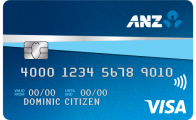
This credit card has the lowest annual feedisclaimercompared to all other ANZ credit cards.
$1,000
Minimum credit limit
$30
Current annual feedisclaimer

Earn $125 credit back to your new card
when you spend $750 on eligible purchases in the first 3 months from approval of your new ANZ First credit card.disclaimer Plus, get a $0 annual fee in the first year.disclaimer
T&Cs, eligibility criteria, fees and charges apply (including an annual fee, $0 for the first year, currently $30 thereafter).disclaimer
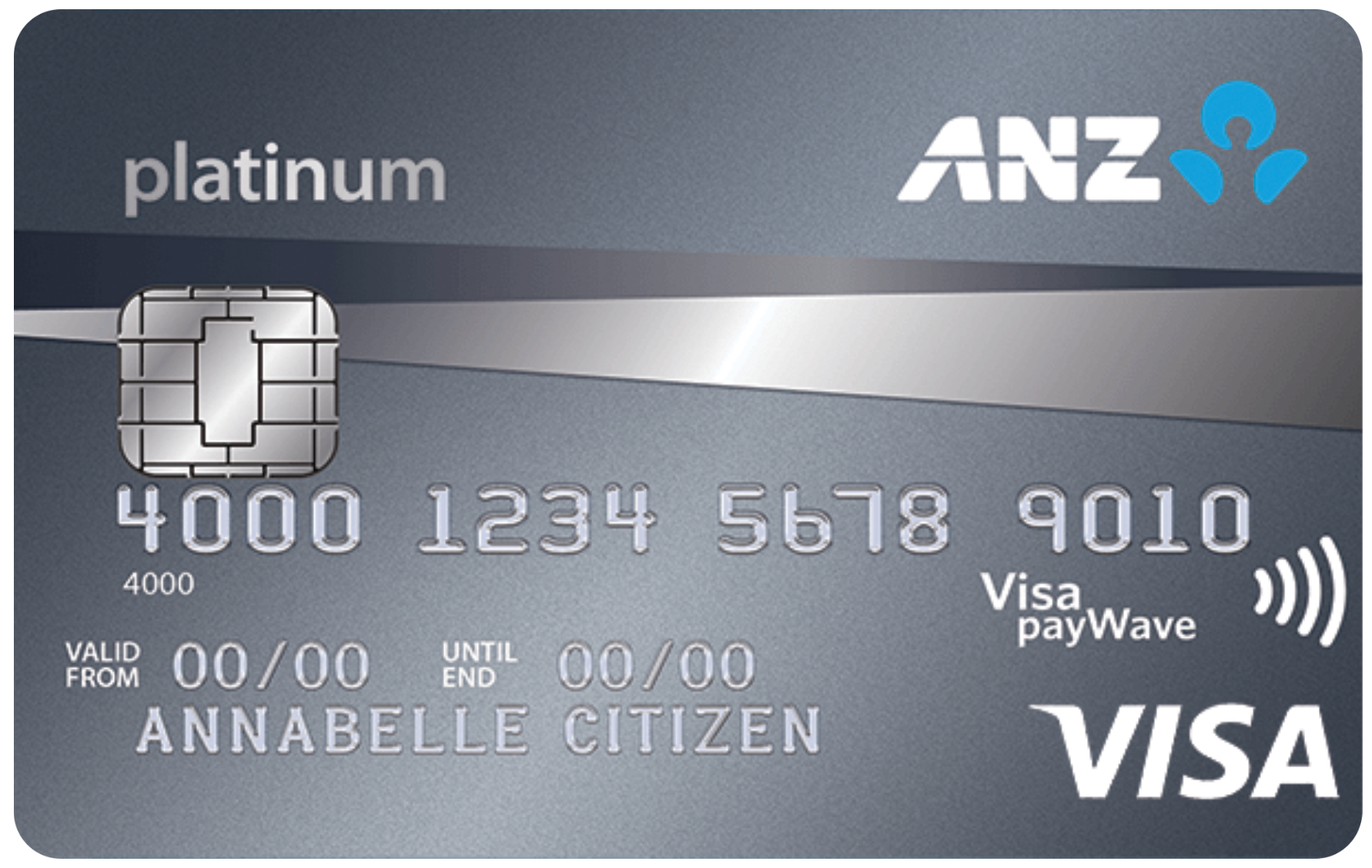
Annual fee waived each year if you spend $20,000 or more on eligible purchases (less refunds or reversals)disclaimer
$6,000
Minimum credit limit
$87
Current annual feedisclaimer
Earn $300 credit back to your new card
when you spend $1,500 on eligible purchases in the first 3 months from approval of your new ANZ Platinum credit card.disclaimer
T&Cs, eligibility criteria, fees and charges apply (including an annual fee, $0 for the first year, currently $87 thereafter).disclaimer
Our lowest interest rate on purchasesdisclaimerat
$1,000
Minimum credit limit
$58
Current annual feedisclaimer

Earn $250 credit back to your new card
when you spend $1,500 on eligible purchases in the first 3 months from approval of your new ANZ Low Rate credit card.disclaimer
T&Cs, eligibility criteria, fees and charges apply.
0% p.a. balance transfer rate for a 28 month promo period
with a 3% balance transfer fee and $0 annual fee in the first year.disclaimer
28-month promotional period starts when we issue a Letter of Offer, not when the Balance Transfer is processed (usually 3-15 business days after card activation). Rate reverts to standard BT rate at the end of the promo period, currently disclaimer
T&Cs, eligibility criteria, fees & charges apply (including an annual fee, $0 for the first year, currently $58 thereafter).
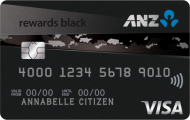
Highest ANZ Reward Points earn ratedisclaimer
$15,000
Minimum credit limit
$375
Current annual feedisclaimer
Earn 180,000 extra ANZ Reward Points and $150 credit back to your new card
when you spend $3,000 on eligible purchases in the first 3 months from approval of your new ANZ Rewards Black credit card.disclaimer
New Rewards card. T&Cs, eligibility criteria, fees and charges apply.
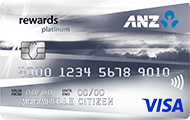
Uncapped ANZ Reward Points earn ratedisclaimer
$6,000
Minimum credit limit
$149
Current annual feedisclaimer
Earn 100,000 extra ANZ Reward Points and $50 credit back to your new card
when you spend $2,000 on eligible purchases in the first 3 months from approval of your new ANZ Rewards Platinum credit card.disclaimer
New Rewards card. T&Cs, eligibility criteria, fees and charges apply.
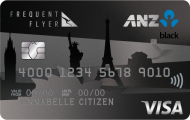
ANZ's highest Qantas Points earn ratedisclaimer;
$15,000
Minimum credit limit
$425
Current annual feedisclaimer
Earn up to 130,000 bonus Qantas Points!
Earn 90,000 bonus Qantas Points and $200 credit back to your new ANZ Frequent Flyer Black credit card when you spend $5,000 on eligible purchases in the first 3 months from approval. Plus, earn an additional 40,000 bonus Qantas Points when you keep your card for over 12 months.disclaimer
New Frequent Flyer card. T&Cs, eligibility criteria, fees and charges apply.
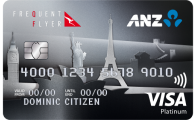
Uncapped Qantas Points earn ratedisclaimer
$6,000
Minimum credit limit
$295
Current annual feedisclaimer
Earn 75,000 bonus Qantas Points and $100 credit back to your new credit card
when you spend $2,500 on eligible purchases in the first 3 months from approval of your new ANZ Frequent Flyer Platinum credit card.disclaimer
New Frequent Flyer card. T&Cs, eligibility criteria, fees and charges apply.

ANZ Falcon® provides 24/7 anti-fraud protection. If we identify any unusual transactions, we’ll contact you to help protect your money.
Provided you didn’t contribute to the loss, notified us promptly of the fraudulent activity and complied with the product T&Cs.disclaimer
An embedded card microchip makes it harder for your card to be fraudulently copied.

Compare each card’s features, considerations and fees to help you choose.

A healthy budget helps with peace of mind and a greater sense of financial wellbeing. But where to get started?
Let’s take a look
There are some potential pitfalls to watch out for when it comes to credit cards. See how to make your repayments work for you.
Here, we look at some key concepts relating to balance transfers and how they work.
Make sure you avoid late payment fees with things like due date reminders and direct debits.
Here are some things that could help you minimise the interest you pay.
With credit cards come big responsibilities, which is why it’s important to understand how they work. ANZ Creducation is an online educational series that explores credit card interest, making payments, balance transfers and more.

We're here to answer your application questions and help you get started.

Report a missing card online or call us right away.

Book an appointment at your local branch or see a map of our branch locations.
Applications for credit are subject to ANZ’s credit approval criteria. Terms and conditions, and fees and charges apply. Australian credit licence number 234527.
Falcon® is a registered trademark of Fair Isaac Corporation.
ANZ Reward Points are earned and redeemed in the ANZ Rewards store in accordance with the ANZ Rewards – Rewards Program Terms and Conditions booklet (PDF). Certain transactions and other items are not eligible to earn Reward Points, for details refer to the ANZ Rewards – Rewards Program Terms and Conditions booklet (PDF).
ReturnMinimum Redemption thresholds apply. To redeem ANZ Reward Points for frequent flyer points, airpoints or airmiles, you must be a member of the relevant program and an ANZ Rewards Account Holder. Refer to the relevant program terms and conditions for details: Velocity Member Terms and Conditions, KrisFlyer Terms and Conditions, Airpoints Terms and Conditions and Asia Miles. ANZ Reward Points are subject to ANZ Rewards – Rewards Program Terms and Conditions (PDF).
ReturnQantas Points and Bonus Qantas Points are earned and redeemed in accordance with the ANZ Frequent Flyer Reward Terms and Conditions booklet (PDF) (please call 13 13 14 for a copy). Certain transactions and other items are not eligible to earn Qantas Points, for details refer to the ANZ Frequent Flyer Reward Terms and Conditions booklet (PDF). Account Holder must be a member of the Qantas Frequent Flyer program to earn and redeem Qantas Points. A joining fee may apply. Membership of the Qantas Frequent Flyer program is subject to the Terms and Conditions of the Qantas Frequent Flyer program. Earn rates and earn rate bands are subject to change. Existing customers should call 13 13 14 for information regarding their account.
Applications for credit are subject to ANZ’s eligibility and credit approval criteria. Offer is for new and approved credit card applicants and is limited to one offer per applicant. ANZ may vary or end this offer at any time without notice.
Offer available in respect of balance transfers requested from Australian non-ANZ credit and store cards only at the time of applying for the new ANZ credit card. ANZ will process the balance transfer requested and any applicable fees up to 95% of your approved credit limit. Depending on the credit limit we approve, this might be less than the full amount of the amount of balance transfer you request when you apply.
The balance transfer Promotional Plan annual percentage rate expires 28 months after the date the credit card application is approved, which is the date of your Letter of Offer, and after the first 28 months the standard balance transfer annual percentage rate will apply to any unpaid Promotional Plan balance. A balance transfer can take between 3-15 business days to process once your card has been activated. The standard balance transfers annual percentage rate is currently for ANZ Low Rate Card, and is subject to change. Terms and conditions apply to balance transfers. Payments to your account are applied in accordance with the ANZ Credit Cards Conditions of Use (PDF).
See the ANZ Credit Card Conditions of Use (PDF) and the ANZ Personal Banking Account Fees and Charges (PDF) for more information about fees and charges. If you transfer to a different credit card account this offer will cease to apply.
The Balance Transfer Fee (which is a Specific Fee on the credit card account) is 3% of the balance transferred and will be applied at the time the balance is transferred and forms part of the Promotional Plan balance.
After the first year an annual fee applies, currently $58. Please see the ANZ Personal Banking Account Fees and Charges (PDF) and ANZ Credit Cards Conditions of Use (PDF).
ReturnThe annual fee for ANZ First is currently $30, the standard annual interest rate is on the purchases balance, on the cash advances balance and on the standard balance transfers balance as at and is subject to change. For applicable fees and charges please see the ANZ Personal Banking Account Fees and Charges (PDF).
ReturnOffer is for new and approved credit card applicants and is limited to one offer per applicant.
ANZ may vary or end this offer at any time without notice. Not available in conjunction with other offers, packages or promotions, or when transferring from an existing ANZ credit card. The time it takes to process, approve an application and deliver or activate a card can vary and there may be delays.
Eligible applicants must meet the spend criteria within 3 months of the date of approval. The date of approval of an application is the disclosure date specified in your Letter of Offer. Eligible purchases includes purchases made using your ANZ Credit Card Account but excludes specific purchases as set out in the ANZ Credit Card Conditions of Use (PDF). Excluded purchases include, for example, fees, cash advances, cash equivalent transactions, balances transfers, premiums paid for ANZ credit card insurance, transactions for gambling or gaming purposes or reversed or refunded transactions and will not qualify. The $125 will generally be credited to your ANZ Credit Card Account within 3 months of meeting the spend criteria. The $125 credit will be applied to the purchases balance and does not constitute a payment under your Credit Card Contract with ANZ. You will not be eligible for $125 back if your ANZ Credit Card Account is cancelled, suspended, transferred, or you have breached the ANZ Credit Card Conditions of Use (PDF).
ReturnAfter the first year an annual fee applies, currently $30. Please see the ANZ Personal Banking Account Fees and Charges (PDF) and ANZ Credit Card Conditions of Use (PDF).
ReturnThe ANZ Platinum Annual Fee will be waived in the first year. In each subsequent year, if Eligible Purchases of $20,000 or more are processed to your ANZ Platinum Credit Card Account during the relevant annual period, your next Annual Fee will be waived. The date Purchases are processed may be different from the date they were made. The relevant annual period starts on the day after your last Annual Fee was charged (or the day it would have been charged, if it was waived, or the day you accepted this offer or your transfer to ANZ Platinum became effective, if it is the first time we are due to charge your Annual Fee) and ends on the day your next Annual Fee would be charged. Eligible Purchases includes purchases made using your account, but excludes Balance Transfers, cash advances, interest and fees. Refunds and reversals processed during the period will be deducted from your total Purchases (even if they relate to transactions in a previous period). If you do not make at least $20,000 of Eligible Purchases excluding refunds and reversals in the year prior to your Fee Date the Annual Fee will be charged to your account. The Annual Fee is currently $87 but is subject to change.
ReturnOffer is for new and approved credit card applicants and is limited to one offer per applicant.
ANZ may vary or end this offer at any time without notice. Not available in conjunction with other offers, packages or promotions, or when transferring from an existing ANZ credit card. The time it takes to process, approve an application and deliver or activate a card can vary and there may be delays.
Eligible applicants must meet the spend criteria within 3 months of the date of approval. The date of approval of an application is the disclosure date specified in your Letter of Offer. Eligible purchases includes purchases made using your account but excludes specific purchases as set out in the ANZ Credit Card Conditions of Use (PDF). Excluded purchases include, for example, fees, cash advances, cash equivalent transactions, balances transfers, premiums paid for ANZ credit card insurance, transactions for gambling or gaming purposes or reversed or refunded transactions and will not qualify. The $300 will generally be credited to your ANZ Credit Card Account within 3 months of meeting the spend criteria. The $300 credit will be applied to the purchases balance and does not constitute a payment under your Credit Card Contract with ANZ. You will not be eligible for $300 back if your ANZ Credit Card Account is cancelled, suspended, transferred, or you are in default or breached the ANZ Credit Card Conditions of Use (PDF).
ReturnThe standard annual interest rate is on the purchases balance, on the cash advances balance and on the standard balance transfers balance as at and is subject to change.
ReturnThe annual fee is currently $58 (as at ) but is subject to change. For applicable fees and charges please see the ANZ Personal Banking Account Fees and Charges (PDF).
ReturnOffer is for new and approved credit card applicants and is limited to one offer per applicant. ANZ may vary or end this offer at any time without notice. Not available in conjunction with other offers, packages or promotions, or when transferring from an existing ANZ credit card. The time it takes to process, approve an application and deliver or activate a card can vary and there may be delays.
Eligible applicants must meet the spend criteria within 3 months of approval. The date of approval of an application is the disclosure date specified in your Letter of Offer.
Eligible purchases include purchases made using your account but excludes specific purchases as set out in the ANZ Credit Card Conditions of Use (PDF). Excluded purchases include, for example, fees, cash advances, cash equivalent transactions, balances transfers, premiums paid for ANZ credit card insurance, transactions for gambling or gaming purposes or reversed or refunded transactions, and will not qualify.
The $250 will generally be credited to your credit card account within three months meeting the spend criteria. The $250 credit will be applied to the purchases balance and does not constitute a payment under your contract with ANZ.
You will not be eligible for the $250 back if your credit card account is cancelled, suspended, transferred, or you are in default or breach of the ANZ Credit Card Conditions of Use (PDF).
ReturnFor ANZ Rewards Platinum, a total annual fee of $149 applies, which includes a $94 Annual Fee and a $55 Rewards Program Service Fee. For ANZ Rewards Black, a total annual fee of $375 applies, which includes a $320 Annual Fee and a $55 Rewards Program Service Fee. For Additional Cardholders on ANZ Rewards Platinum and ANZ Rewards Black, an annual Additional Cardholder Fee of $10 and an annual Rewards Program Services Fee of $55 will apply per Additional Cardholder on the account. These fees are current as at today's date and are subject to change. The fee information displayed on this page applies to new customers only.
ReturnOffer available to new and approved applicants who apply for an ANZ Rewards Black Credit Card and is limited to one offer per applicant. ANZ may vary or end this offer at any time without notice. Not available in conjunction with other offers, packages or promotions, or when transferring from an existing ANZ credit card. The time it takes to process, approve an application and deliver or activate a card can vary and there may be delays. Eligible applicants must meet the spend criteria within 3 months of the date of approval. The date of approval of an application is the disclosure date specified in your Letter of Offer. Some transactions and other items are not eligible purchases as they are not eligible to earn ANZ Rewards Points. For details see the ANZ Rewards - Rewards Program Terms and Conditions (PDF). The $150 will generally be credited to your credit card account within three months of meeting the spend criteria. The $150 credit will be applied to the purchases balance and does not constitute a payment under your contract with ANZ. ANZ Rewards Points will generally be credited to your ANZ Rewards Account within 3 months of meeting the spend criteria. ANZ Rewards Points will not be credited and you will not be eligible for the $150 back if your credit card is cancelled, suspended, transferred, or you have breached either the ANZ Credit Card Conditions of Use (PDF) or the ANZ Rewards – Rewards Program Terms and Conditions (PDF). You are not eligible for this offer if you currently hold or have held an ANZ Rewards credit card in the last 12 months.
ReturnOffer available to new and approved applicants who apply for an ANZ Rewards Platinum Credit Card and is limited to one offer per applicant. ANZ may vary or end this offer at any time without notice. Not available in conjunction with other offers, packages or promotions, or when transferring from an existing ANZ credit card. The time it takes to process, approve an application and deliver or activate a card can vary and there may be delays. Eligible applicants must meet the spend criteria within 3 months of the date of approval. The date of approval of an application is the disclosure date specified in your Letter of Offer. Some transactions and other items are not eligible purchases as they are not eligible to earn ANZ Rewards Points. For details see the ANZ Rewards - Rewards Program Terms and Conditions (PDF). The 100,000 extra ANZ Reward Points and the $50 will generally be credited to your credit card account within three months of meeting the spend criteria. The $50 credit will be applied to the Purchases balance and does not constitute a payment under your contract with ANZ. The 100,000 extra ANZ Reward Points will not be credited and you will not be eligible for the $50 back if your credit card is cancelled, suspended, transferred, or you have breached either the ANZ Credit Card Conditions of Use (PDF) or the ANZ Rewards – Rewards Program Terms and Conditions (PDF). You are not eligible for this offer if you currently hold or have held an ANZ Rewards Credit Card in the last 12 months.
ReturnFor ANZ Frequent Flyer Platinum, a total annual fee of $295 applies which includes a $240 Annual Fee and a $55 Rewards Program Services Fee. For ANZ Frequent Flyer Black, a total annual fee of $425 applies which includes a $370 Annual Fee and a $55 Rewards Program Services Fee. For Additional Cardholders on an ANZ Frequent Flyer Platinum or ANZ Frequent Flyer Black credit card, an annual Additional Cardholder Fee of $10 and an annual Rewards Program Services Fee of $55 will apply per Additional Cardholder on the account. These fees are current as at and are subject to change. The fee information displayed on this page applies to new customers only. Existing customers may be subject to different fees and should call 13 22 73 for information regarding the fees that apply to their account.
ReturnOffer is for new and approved credit card applicants and is limited to one offer per applicant.
ANZ may vary or end this offer at any time without notice. Not available in conjunction with other offers, packages or promotions, or when transferring from an existing ANZ credit card. The time it takes to process, approve an application and deliver or activate a card can vary and there may be delays.
Eligible applicants must meet the spend criteria within 3 months of the date of approval. The date of approval of an application is the disclosure date specified in your Letter of Offer. Some transactions and other items are not eligible purchases as they are not eligible to earn Qantas Points. For details see the ANZ Frequent Flyer Reward Terms and Conditions booklet (PDF). The 90,000 bonus Qantas Points and $200 will generally be credited to your ANZ Credit Card Account within 3 months of meeting the spend criteria. The $200 credit will be applied to the purchases balance and does not constitute a payment under your Credit Card Contract with ANZ. The 40,000 bonus Qantas Points for retaining the card for over 12 months will be credited to your Qantas Points balance within 3 months from the second annual fee being charged. The 130,000 bonus Qantas Points will not be credited and you will not be eligible for $200 back if your ANZ Credit Card Account is cancelled, suspended, transferred, or you have breached either the ANZ Credit Card Conditions of Use (PDF) or the ANZ Frequent Flyer Rewards Terms and Conditions booklet (PDF) prior to the bonus Qantas Points or $200 being credited to your ANZ Credit Card Account. You are not eligible for this offer if you currently hold or have held an ANZ Frequent Flyer credit card in the last 12 months.
ReturnOffer available to new and approved applicants who apply for an ANZ Frequent Flyer Platinum Credit Card and is limited to one offer per applicant.
ANZ may vary or end this offer at any time without notice. Not available in conjunction with other offers, packages or promotions, or when transferring from an existing ANZ credit card. The time it takes to process, approve an application and deliver or activate a card can vary and there may be delays.
Eligible applicants must meet the spend criteria within 3 months of the date of approval. The date of approval of an application is the disclosure date specified in your Letter of Offer. Some transactions and other items are not eligible purchases as they are not eligible to earn Qantas Points. For details see the ANZ Frequent Flyer Reward Terms and Conditions booklet (PDF). The 75,000 bonus Qantas Points and $100 will generally be credited to your ANZ Credit Card Account within 3 months of meeting the spend criteria. The $100 credit will be applied to the purchases balance and does not constitute a payment under your Credit Card Contract with ANZ. The 75,000 bonus Qantas Points will not be credited and you will not be eligible for $100 back if your ANZ Credit Card Account is cancelled, suspended, transferred, or you have breached either the ANZ Credit Card Conditions of Use (PDF) or the ANZ Frequent Flyer Rewards Terms and Conditions booklet (PDF). You are not eligible for this offer if you currently hold or have held an ANZ Frequent Flyer credit card in the last 12 months.
ReturnRefer to the Electronic Banking Conditions of Use contained in your product terms and conditions (PDF).
Return
